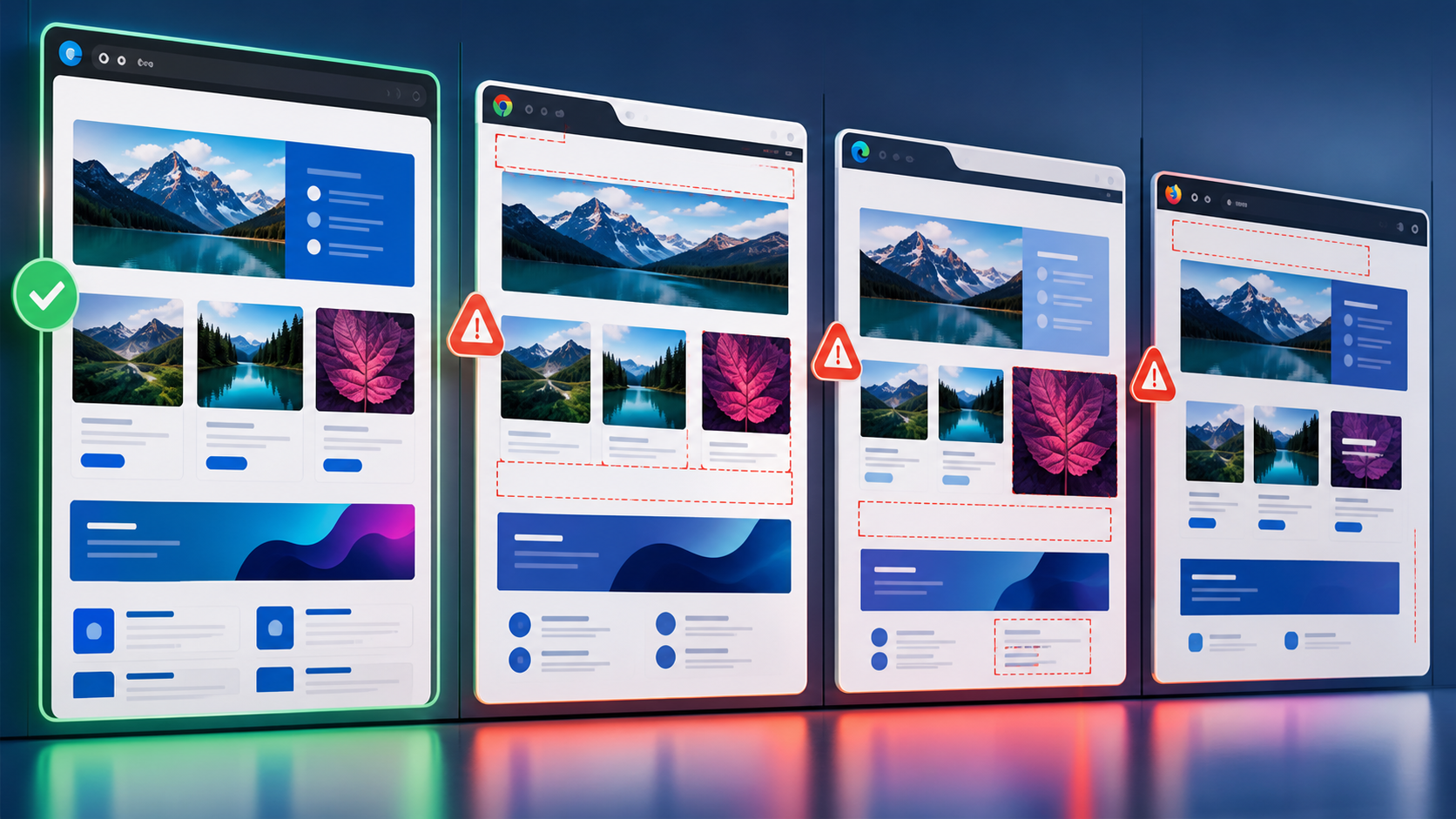

Visual AI is machine learning that compares rendered UI against expected visual intent, and in 2026 it is becoming central to cross-browser testing. Browser compatibility is the ability of a web application to behave and render correctly across browser engines, versions, devices, and viewport conditions. Cloud testing is the use of hosted browser and device infrastructure for execution at scale, while responsive design is the practice of adapting layouts and interactions to different screens without losing usability.
Cross-browser testing in 2026 is shifting from manually checking pages in many browsers to using visual AI and cloud grids as automated release infrastructure. Visual AI detects meaningful layout, typography, and rendering regressions, while cloud testing provides scalable real browsers and devices on demand. The strongest QA teams combine both with risk-based browser coverage, component-aware responsive design checks, and strict governance for flaky results.
Why cross-browser testing is being rebuilt around visual AI and cloud testing
Cross-browser testing is no longer a late-stage compatibility sweep; it is becoming a continuous quality signal tied to every important UI change. The reason is practical: browser engines are more capable, front ends are more dynamic, and customer journeys now span more device classes than most internal labs can economically support.
The browser market in 2026 looks simpler at a logo level but more fragmented at the execution level. Chromium dominates many desktop environments, Safari remains critical for iOS and macOS commerce, Firefox still exposes standards differences, and embedded webviews create their own behavior under mobile apps, kiosks, and enterprise portals.
That fragmentation matters because modern failures are rarely obvious page crashes. They are clipped checkout buttons, font fallback shifts, modal overlays that trap focus, animation timing that hides calls to action, or CSS container query behavior that changes at a narrow breakpoint.
Teams that still treat browser compatibility as a manual pass before release usually pay for it through blocked deployments and production support tickets. Mature teams report 30 to 50 percent faster UI feedback loops when they run cloud browser suites and visual checks during pull requests instead of after feature freeze.
How visual AI changes what QA can detect across browsers
Visual AI changes cross-browser QA by detecting user-visible differences that DOM assertions and pixel-by-pixel snapshots routinely miss or overreport. It gives QA teams a middle layer between brittle image diffing and purely functional automation.
Traditional visual regression testing is a comparison of screenshot pixels against a baseline image. It is useful, but it often fails on harmless anti-aliasing, font smoothing, dynamic content, and device rendering differences that do not affect user experience.
Visual AI systems use layout segmentation, perceptual comparison, OCR-like text awareness, and region classification to decide whether a change is meaningful. Instead of asking whether every pixel is identical, they ask whether the interface still communicates and functions as intended.
This matters for browser compatibility because browsers disagree in subtle ways. Safari may render line height and form controls differently from Chrome, Firefox may expose a flexbox edge case, and mobile browsers may resize the visual viewport when address bars collapse.
How does visual AI reduce false positives in browser compatibility checks?
Visual AI reduces false positives by ignoring low-risk rendering noise while flagging layout and content changes that affect users. It can tolerate subpixel anti-aliasing, small shadow differences, and dynamic image compression while still catching a hidden button or overlapping price label.
The practical gain is not just fewer failed builds. It is higher trust in the failures that remain, which improves triage discipline and prevents teams from muting visual testing after a few noisy sprints.
A common benchmark for well-tuned visual AI suites is a 40 to 70 percent reduction in visual diff triage compared with strict pixel matching. The range depends heavily on whether teams mask dynamic regions, stabilize test data, and separate component snapshots from full-page journeys.
When should visual AI not be the only browser compatibility oracle?
Visual AI should not be the only oracle when the risk is behavioral, accessibility-related, security-sensitive, or dependent on timing. A layout can look correct while keyboard focus is broken, validation messages are not announced, or a payment iframe fails in one browser.
Use visual AI to detect rendered experience regressions, not to replace functional assertions. Critical journeys still need deterministic checks for API responses, form state, analytics events, accessibility roles, and error handling.
The best pattern is layered evidence. A checkout test might assert cart totals through the DOM, verify the payment button is enabled, capture a visual checkpoint across Chrome and Safari, and run an accessibility scan on the final state.
How cloud testing grids became strategic QA infrastructure
Cloud testing grids became strategic because browser coverage, execution speed, and device access now exceed what most organizations can maintain internally. A cloud grid gives QA teams real browser sessions, parallel execution, video artifacts, network controls, and device coverage without owning every operating system and handset.
Local grids still have value for fast smoke checks and debugging. However, they struggle with Safari coverage, mobile device diversity, operating system patch drift, and concurrency demand during release windows.
In 2026, the strongest cloud testing implementations are integrated directly into CI pipelines, not treated as a manual environment. Pull requests trigger targeted cloud runs, nightly builds expand coverage, and release candidates execute the full browser matrix with visual checkpoints and trace artifacts.
Teams using parallel cloud testing commonly compress a two-hour serial compatibility suite into 15 to 25 minutes. The real advantage is not raw speed alone; it is the ability to run the right combinations before risk escapes into production.
How do cloud grids improve responsive design validation?
Cloud grids improve responsive design validation by running the same UI flow across real viewport sizes, device pixel ratios, input types, and browser engines. This catches failures that desktop browser emulation often misses, especially on mobile Safari, Android Chrome, and tablet orientations.
Responsive design failures are often stateful. A menu may open correctly at 390 pixels wide but fail after a locale switch, consent banner, soft keyboard, or sticky header appears.
Real devices also expose performance and interaction differences that affect layout stability. A page that appears fine in a desktop emulator can show delayed font loading, image reflow, or tap target overlap on a lower-end mobile device.
What browser coverage should QA teams prioritize in 2026?
QA teams should prioritize browser coverage based on customer analytics, revenue risk, regulatory exposure, and rendering engine diversity. A small, intentional matrix usually beats a large matrix that no one trusts or maintains.
A practical baseline includes current and previous major versions of Chrome, Safari, Firefox, and Edge for desktop web applications. For consumer mobile products, add iOS Safari on at least two screen classes and Android Chrome on representative high and mid-tier devices.
Enterprise teams should also account for managed browser policies, OS lag, virtual desktops, and embedded webviews. The long tail should be sampled through nightly or weekly runs rather than blocking every pull request.
| Approach | Best use | Strength | Weakness | 2026 recommendation |
|---|---|---|---|---|
| Local browser automation | Developer smoke checks and debugging | Fast feedback and low cost | Limited device and OS realism | Use for pre-commit and pull request sanity checks |
| Internal device lab | Special hardware, regulated environments, offline validation | High control over devices and data | Maintenance burden and limited concurrency | Keep for edge cases that cloud providers cannot satisfy |
| Cloud testing grid | Cross-browser and cross-device execution at scale | Large coverage, parallelism, trace artifacts | Cost control and provider dependency require governance | Use as the default execution layer for compatibility gates |
| Visual AI layer | Rendered UI comparison across browsers and viewports | Detects user-visible regressions with fewer false positives | Needs stable baselines and human review policy | Pair with functional assertions and risk-based approval rules |
How responsive design testing is moving from breakpoints to real UI states
Responsive design testing is moving beyond fixed viewport screenshots because modern layouts depend on content, state, personalization, and container behavior. A page can pass at every named breakpoint and still fail when a real user has a long name, a translated label, or an expanded filter panel.
CSS container queries, fluid typography, variable fonts, and adaptive components have improved front-end flexibility. They have also made compatibility failures more contextual because a component may respond to its parent container rather than the viewport alone.
QA strategy should therefore combine breakpoint coverage with state coverage. For example, a product card grid should be checked with discounted prices, long product names, unavailable inventory labels, localized currency, and personalized recommendations.
Visual AI is especially effective here because the risk is often spatial. It can catch text collision, broken alignment, missing imagery, and hidden actions across viewport and content combinations.
How should responsive breakpoints be selected for automated checks?
Responsive breakpoints should be selected from production analytics and layout risk, not copied blindly from design system tokens. Use viewport clusters that represent real traffic, then add narrow edge cases around known layout transitions.
A practical set for many teams includes small mobile, large mobile, tablet portrait, tablet landscape, laptop, and wide desktop. Add component-specific widths when container queries or sidebar states create additional layout modes.
Do not run every journey at every viewport in every pull request. Instead, run high-value smoke journeys broadly and reserve exhaustive responsive design coverage for nightly builds, release candidates, and pages with active UI changes.
A practical 2026 pipeline pattern for cloud browser and visual AI coverage
A practical pipeline separates fast developer feedback from broader confidence-building runs. The goal is to catch obvious browser compatibility issues early while reserving expensive cloud testing capacity for changes that justify it.
At pull request time, run unit tests, component visual checks, and a small cross-browser smoke suite against the changed area. On merge, expand to cloud browser coverage for high-traffic journeys and visual AI checkpoints across selected viewports.
Nightly runs should cover the full matrix, including lower-priority browsers, additional locales, authenticated roles, and mobile devices. Release candidate runs should require stable baselines, reviewed visual diffs, and documented exceptions before deployment.
The following Playwright-style configuration shows how a team might express browser and viewport intent before sending execution to a cloud grid through environment-specific connection settings.
const { defineConfig, devices } = require('@playwright/test');

module.exports = defineConfig({
  testDir: './tests/browser-compatibility',
  retries: process.env.CI ? 2 : 0,
  workers: process.env.CI ? 8 : 3,
  timeout: 45000,
  use: {
    baseURL: process.env.APP_URL || 'https://staging.example.com',
    trace: 'retain-on-failure',
    video: 'retain-on-failure',
    screenshot: 'only-on-failure'
  },
  projects: [
    { name: 'chromium-desktop', use: { ...devices['Desktop Chrome'] } },
    { name: 'firefox-desktop', use: { ...devices['Desktop Firefox'] } },
    { name: 'webkit-desktop', use: { ...devices['Desktop Safari'] } },
    { name: 'mobile-safari', use: { ...devices['iPhone 15'] } },
    { name: 'android-chrome', use: { ...devices['Pixel 8'] } }
  ],
  reporter: [
    ['list'],
    ['html', { outputFolder: 'reports/browser-grid' }]
  ]
});
The important design choice is not the tool syntax. It is the separation of compatibility intent from test implementation so the same flows can run locally, in a cloud grid, or with visual AI snapshots attached.
Where visual AI and cloud grids fail in real QA programs
Visual AI and cloud grids fail when teams automate chaos instead of reducing it. The most common breakdown is treating more browser combinations as a substitute for sharper risk analysis.
Baseline sprawl is the first pitfall. If every minor copy change creates dozens of new snapshots across browsers and viewports, reviewers stop understanding what they are approving.
Another failure mode is unstable test data. Personalized content, rotating banners, time-sensitive offers, ads, and third-party widgets must be controlled, mocked, masked, or asserted separately.
Cloud grid cost can also surprise teams that run full matrices on every commit. Concurrency is powerful, but a badly scoped suite can consume minutes, budgets, and engineering attention faster than it improves quality.
The deepest mistake is ignoring root-cause classification. A visual difference caused by a legitimate design update, a browser rendering bug, a flaky network dependency, and a CSS regression should not enter the same triage bucket.
Why do cross-browser suites become flaky after moving to the cloud?
Cross-browser suites become flaky in the cloud when timing assumptions, test isolation, and environment dependencies were already weak locally. Cloud execution exposes those weaknesses because sessions run in parallel across more variable network, device, and browser conditions.
Common causes include fixed sleeps, shared accounts, order-dependent tests, non-deterministic seed data, and selectors tied to cosmetic structure. Cloud grids amplify those issues because they remove the accidental stability of a single local machine.
Stabilization requires explicit waits for user-observable states, independent test data, resilient locators, and clear retry policy. Retries should confirm suspected infrastructure noise, not hide product defects.
How to measure whether browser compatibility testing is improving releases
Browser compatibility testing is improving releases when it reduces escaped UI defects, shortens feedback time, and increases confidence without creating unsustainable triage load. Metrics should connect automation activity to release outcomes, not just count executed sessions.
Track escaped browser-specific defects by severity and affected revenue path. A healthy program should show fewer production issues in checkout, onboarding, account management, and other high-value journeys after cloud visual coverage matures.
Measure median time from code change to compatibility signal. Competitive teams often target under 15 minutes for pull request smoke feedback and under one hour for a broader post-merge grid run.
Visual AI programs also need approval quality metrics. Track the percentage of visual diffs that are real defects, intended changes, test-data noise, or infrastructure artifacts.
Finally, monitor browser matrix efficiency. If a browser combination never finds defects and represents little user or revenue risk, move it to periodic sampling and spend the saved capacity on riskier states or devices.
Governance and security requirements for cloud testing in 2026
Cloud testing governance is essential because browser sessions can expose credentials, customer-like data, network behavior, and unreleased product workflows. QA leaders need controls that make cloud execution safe enough for continuous use.
Use synthetic accounts, scoped test credentials, and environment-level secrets that rotate automatically. Never record real customer data in videos, traces, screenshots, or visual AI baselines.
For regulated teams, vendor controls matter as much as test coverage. Evaluate data residency, session artifact retention, access control, audit logs, private connectivity, and support for enterprise identity management.
Governance should also cover baseline approval. A visual AI baseline is a quality artifact, so approvals should be traceable to a change request, design update, or defect fix rather than accepted casually during a failed build.
How QA teams should design browser compatibility strategy for 2026
QA teams should design browser compatibility strategy as a risk-based system that combines visual AI, cloud testing, functional automation, accessibility checks, and analytics-informed coverage. The winning approach is not maximum automation; it is maximum signal per minute of execution.
Start with the journeys that create financial, legal, or reputational risk. Checkout, sign-in, pricing, file upload, consent, subscription changes, and support contact flows deserve stronger cross-browser gates than static marketing pages.
Then map those journeys against browser engines, devices, viewport clusters, locales, and user states. The output should be a coverage model that explains why each combination exists and when it runs.
Use visual AI where visual correctness is part of the user promise. Use cloud grids where device and browser realism matter. Use functional assertions where business rules, data integrity, and workflow state are the risk.
By 2026 standards, a mature cross-browser testing program feels less like a compatibility checklist and more like an observability system for the rendered customer experience. It tells teams what changed, who might be affected, whether the difference matters, and how quickly the release can move forward.
Key Takeaways
- Visual AI helps QA teams detect meaningful browser compatibility regressions without drowning reviewers in harmless pixel differences.
- Cloud testing grids are now release infrastructure because they provide scalable access to real browsers, devices, operating systems, and trace artifacts.
- Responsive design testing must cover real UI states, content variation, and container behavior, not only named viewport breakpoints.
- The highest-value browser matrix is driven by customer analytics, revenue risk, rendering engine diversity, and known product edge cases.
- Visual AI should complement functional, accessibility, and API assertions rather than replace them as the only quality oracle.
- Cloud execution exposes weak test design, so teams need stable data, resilient locators, explicit waits, and disciplined retry rules.
- Successful cross-browser strategy in 2026 measures signal quality, escaped defects, feedback time, visual diff accuracy, and matrix efficiency.