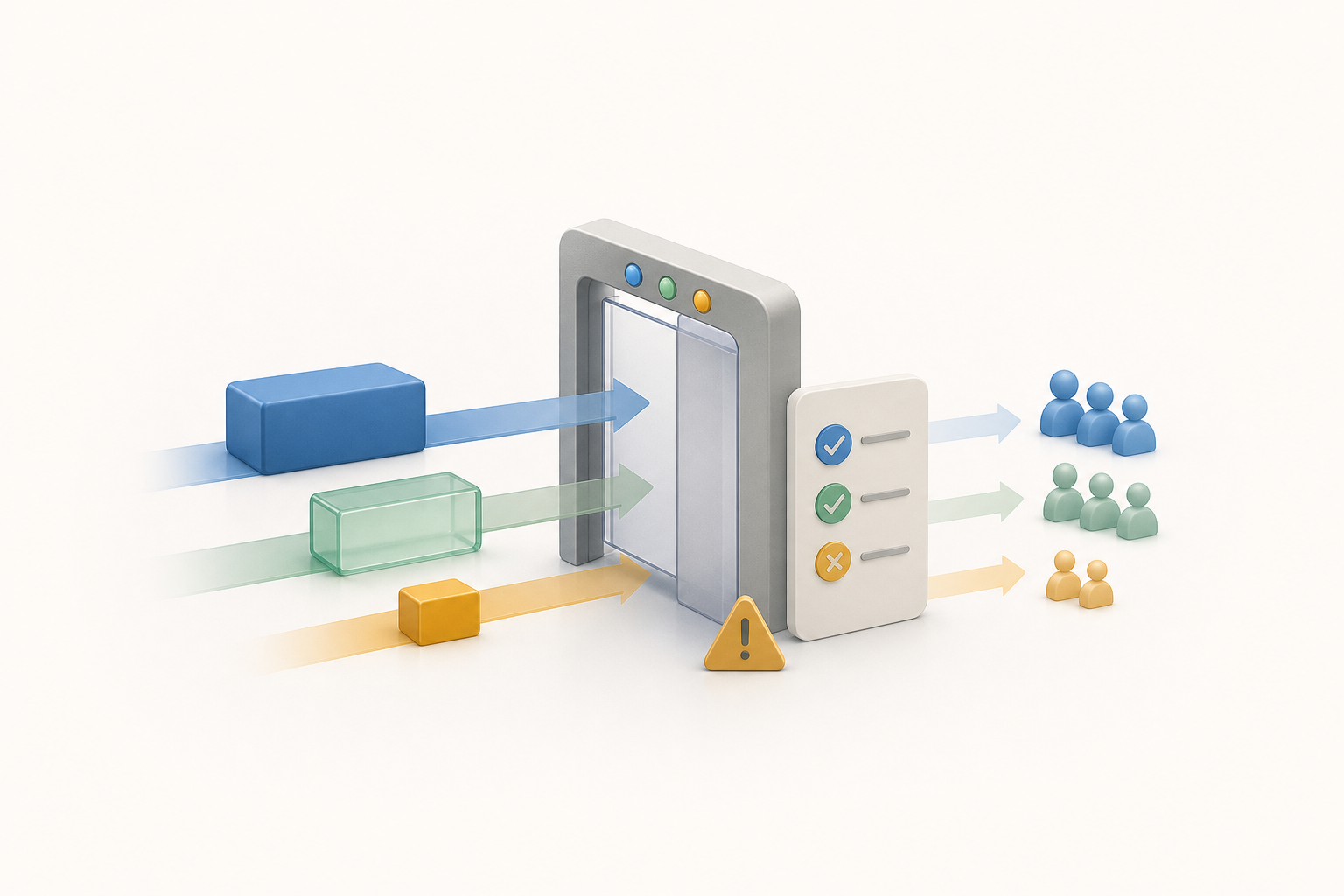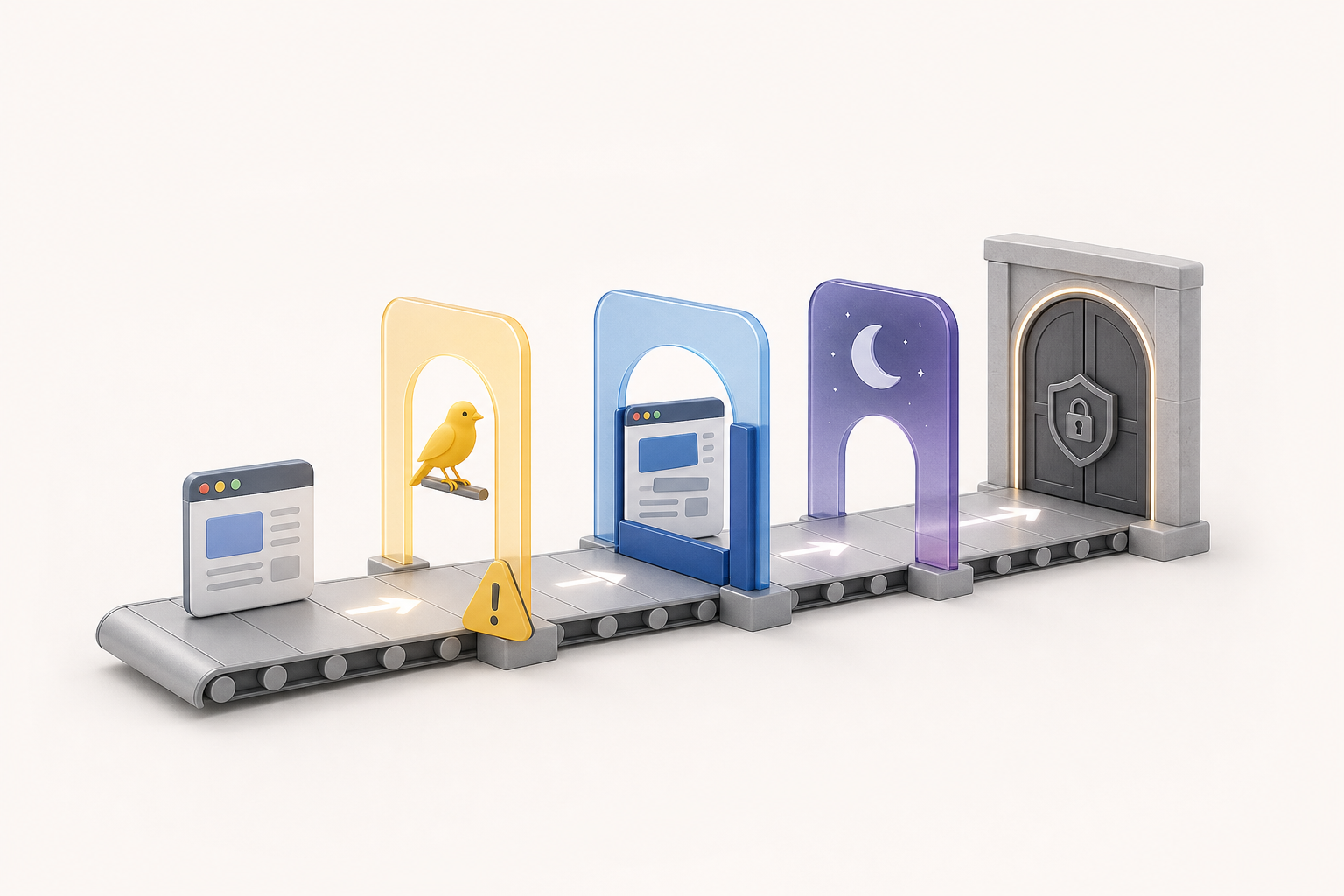
Release readiness for modern web applications should include more than today’s stable browsers. Canary, beta, developer, technology preview, and nightly browser channels can warn QA and DevOps teams about compatibility problems before those changes reach most users.
Prerelease browser testing should usually be a formal CI/CD signal, not an informal side check. Use advisory gates for noisy or low-impact prerelease failures, blocking gates for reproducible failures in critical user journeys, and a triage path that separates browser-vendor regressions from application defects.
Why Prerelease Browser Coverage Belongs in Release Governance
Browser engines change continuously. A UI that passes on the current stable version can fail in a browser beta because of a rendering change, a JavaScript behavior shift, a media policy update, a storage change, or a driver/runtime compatibility issue. Waiting until those changes become stable turns a predictable compatibility task into an urgent production issue.
MDN’s cross-browser testing guidance recommends testing across stable browsers and prerelease browsers such as Chrome Canary, Safari Technology Preview, and Firefox Developer Edition as part of compatibility coverage. That guidance is useful for release teams because it frames prerelease channels as an early warning layer rather than a replacement for stable-browser testing: MDN’s introduction to cross-browser testing emphasizes testing across the browsers your users rely on, including upcoming browser versions.
The key operational change is simple: do not treat prerelease results as a miscellaneous nightly report that nobody owns. Treat them as release-readiness evidence with defined owners, thresholds, and escalation rules. This is closely related to broader browser update cadence and release readiness planning, but the CI/CD gate is where the policy becomes enforceable.
What Do Canary, Beta, Developer, Technology Preview, and Nightly Channels Mean?
Prerelease channels are not all equivalent. Some are close to the next stable version; others expose very early changes that may never reach stable in the same form. QA teams should map each channel to the type of signal it provides instead of lumping everything under “canary testing.”
| Channel type | Typical signal | Best CI/CD use | Gate strength |
|---|---|---|---|
| Beta | Near-future browser behavior that is closer to a stable release candidate | Run critical journeys, visual smoke tests, authentication, checkout, and high-traffic flows | Often blocking when failures are reproducible and user-impacting |
| Developer edition or technology preview | Upcoming engine, platform, or feature behavior with moderate volatility | Run compatibility suites for CSS, JavaScript, forms, media, and accessibility-sensitive interactions | Usually advisory, sometimes blocking for severe regressions |
| Canary | Very early changes and recently landed browser updates | Run small, high-signal smoke packs and component-level probes | Mostly advisory unless the same defect appears in beta or multiple channels |
| Nightly | Frequent experimental browser changes with higher instability | Run targeted early-warning tests and collect trend evidence | Advisory by default |
Automation frameworks may also have their own prerelease cadence. Playwright documents daily canary releases for unreleased Playwright features, which can help teams evaluate upcoming automation support while also introducing its own toolchain risk: Playwright’s canary release documentation is a useful reminder to distinguish browser prerelease risk from test-framework prerelease risk.
A Lightweight CI/CD Gating Model
A practical model has three layers: stable browsers for release confidence, beta browsers for near-term compatibility risk, and canary or nightly browsers for early warning. Each layer should have a different failure policy. If every prerelease failure blocks deployment, the pipeline becomes noisy and teams learn to ignore it. If no prerelease failure ever blocks deployment, the signal never changes release behavior.
When should a prerelease browser failure block a build?
Block a build when the failure is reproducible, affects a critical user journey, is not explained by a known browser-vendor bug, and is likely to reach stable users soon. Browser beta failures deserve stronger attention than canary-only failures because beta channels generally represent a closer future state.
A useful blocking rule is impact-based rather than channel-based. For example, a payment confirmation failure in a beta browser should usually block release until triaged. A minor animation difference in a nightly build should usually create a tracked advisory issue, not stop deployment.
When should a prerelease browser failure be advisory only?
Use advisory gates when the failure is isolated to an early channel, appears flaky, affects a non-critical feature, or is already linked to a known browser issue. Advisory does not mean ignored. It means the pipeline records the risk, notifies the owner, and requires periodic review without stopping unrelated releases.
Advisory results should still appear in release notes or readiness dashboards. They are especially useful when the same advisory failure repeats over several days, appears in multiple browsers, or migrates from canary to beta.
Separating App Regressions from Browser-Vendor Bugs
The hardest part of prerelease-browser gating is diagnosis. A failure might be caused by your application, your test code, the automation driver, the browser engine, the operating system image, or a timing issue in CI. Triage should ask one question first: did the user-facing behavior change, or did the test infrastructure change?
- Compare against stable. If stable passes and beta fails, the issue may be a forward-compatibility problem or a browser regression.
- Reproduce outside CI. A local or cloud-grid reproduction helps separate pipeline instability from product behavior.
- Check multiple automation paths. If the same user journey fails manually and through automation, the signal is stronger.
- Reduce to a minimal case. A small HTML, CSS, or JavaScript reproduction is often the fastest route to identifying a browser-vendor defect.
- Track ownership explicitly. Assign either app owner, test owner, platform owner, or vendor-monitor owner. “Prerelease issue” is not an owner.
Selenium’s downloads and project resources are relevant when teams maintain browser-driver and grid execution paths, because automation compatibility is part of the prerelease equation, not a separate concern: Selenium’s downloads page helps teams verify the browser automation components they are using in their execution environment.
Designing Gates That Handle Flakiness Without Hiding Risk
Prerelease browsers are noisier than stable browsers. That does not make them useless; it means your policy needs a noise-handling layer. Flakiness is a test result that changes without a meaningful application change, often because of timing, environment, dependency, browser, or test isolation problems.
Avoid the two common extremes: blocking every prerelease failure or automatically retrying until a green result appears. The first creates pipeline resentment. The second erases valuable early warning. Instead, capture failure frequency, reproducibility, channel, feature impact, and recent trend.
| Failure pattern | Likely policy | Reason |
|---|---|---|
| One-off canary failure in a non-critical test | Advisory with automatic retry and trend tracking | High chance of noise; low release impact |
| Repeated beta failure in login, payment, or core navigation | Blocking until triaged | High user impact and closer to stable behavior |
| Same failure in beta and stable | Blocking as a product or test regression | No longer only a prerelease concern |
| Known browser-vendor issue with documented workaround | Advisory or conditional approval | Risk can be managed if product impact is understood |
| Automation-only failure after framework or driver update | Quarantine test from release gate, keep investigation active | Protects delivery while preserving ownership |
Prioritizing Tests by User Share and Browser Risk
Not every test belongs in every prerelease channel. A prerelease gate should be smaller than the full regression suite and more focused than a generic smoke test. Start with flows that combine business impact, browser sensitivity, and user exposure.
Good candidates include authentication, account creation, checkout, subscription changes, search, file upload, rich text editing, video playback, single-page app routing, responsive layout breakpoints, form validation, and accessibility-critical keyboard flows. CSS-heavy interfaces, canvas/WebGL experiences, media permissions, service workers, storage APIs, and complex focus management often deserve extra attention because browser behavior can vary noticeably across engines and release channels.
Prioritization should also consider your real audience. A browser with a small internal engineering footprint may still matter if it represents a regulated customer segment, an enterprise standard, or a high-value market. Release governance should combine analytics, customer commitments, and technical risk rather than blindly mirroring global browser popularity.
Example Release Policy and Escalation Matrix
The following policy is an illustrative example, not a universal rule. Adapt it to your product’s risk tolerance, user base, and release frequency.
| Condition | Release decision | Owner | Expected action |
|---|---|---|---|
| Stable browser critical journey fails | Block | Feature team | Fix, rollback, or approve a documented exception |
| Beta browser critical journey fails reproducibly | Block pending triage | QA lead and frontend owner | Confirm whether app change, browser change, or test issue caused failure |
| Beta browser non-critical visual difference | Advisory | Design system or UI owner | Track, compare screenshots, and assess user impact |
| Canary-only failure in smoke pack | Advisory | Frontend platform team | Monitor recurrence and check whether it appears in beta later |
| Known vendor bug with no user workaround | Conditional approval | Release manager | Document exposure, customer communication, and mitigation plan |
| Automation framework prerelease failure | Do not block product release by default | Test infrastructure owner | Pin or update tooling and keep the product signal separate |
Teams that already use delivery-risk metrics can integrate prerelease-browser findings into broader test telemetry and release risk reporting. The goal is not a single magic score; it is a release conversation grounded in evidence.
Pipeline Configuration Example
The pipeline should make the gate explicit. The example below shows one possible pattern: stable tests block, beta critical tests block after triage rules, and canary smoke tests publish advisory evidence. The syntax is illustrative and should be adapted to your CI/CD platform.
stages:
  - browser_readiness

stable_chromium_firefox_webkit:
  stage: browser_readiness
  script:
    - npm ci
    - npm run test:e2e -- --project=stable-critical
  allow_failure: false

beta_critical_journeys:
  stage: browser_readiness
  script:
    - npm ci
    - npm run test:e2e -- --project=browser-beta-critical
    - npm run classify-browser-failures -- --channel=beta
  allow_failure: false
  rules:
    - if: $RELEASE_CANDIDATE == "true"

canary_smoke_advisory:
  stage: browser_readiness
  script:
    - npm ci
    - npm run test:e2e -- --project=canary-smoke
    - npm run publish-readiness-signal -- --channel=canary
  allow_failure: true
This structure prevents a canary-only failure from silently disappearing while also avoiding unnecessary release stops. It also makes the difference between “failed build” and “failed advisory check” visible to release managers.
Implementation Checklist for QA and DevOps
Start small. A prerelease-browser gate should produce trusted signal before it expands. Add one beta channel, a critical-flow smoke pack, clear ownership, and a release decision rule. Then add canary or nightly checks after the team has learned how to triage failures efficiently.
- Define supported browser channels. List stable, beta, canary, technology preview, developer, or nightly coverage by product area.
- Choose a minimal critical suite. Include only flows that justify release attention when they fail.
- Separate product and infrastructure failures. Track browser, driver, framework, test, environment, and app causes separately.
- Create advisory and blocking categories. Make the release behavior clear before failures occur.
- Record known vendor issues. Link internal tickets to external issue trackers when available, and document mitigations.
- Review trend movement. Watch for failures that move from canary to beta or from one browser engine to another.
- Revisit the gate after incidents. If a stable-browser incident could have been caught by a prerelease channel, adjust the suite and policy.
Common Pitfalls That Weaken Prerelease Gates
The first pitfall is over-gating. If every canary failure blocks every release, teams will disable the job, mark it flaky, or route around it. A prerelease signal must be credible enough to act on.
The second pitfall is under-owning. A nightly job that posts failures into a channel without an owner is not a gate; it is background noise. Every recurring failure needs an accountable team and a decision path.
The third pitfall is mixing browser-risk and tooling-risk. Updating the browser, automation framework, driver, base image, and test suite at the same time makes diagnosis unnecessarily hard. Where possible, pin dependencies, update deliberately, and label the changed component in the pipeline run.
The fourth pitfall is forgetting manual confirmation. Automation is essential for scale, but a quick human reproduction can prevent days of debate when a prerelease failure affects a critical feature. For high-impact failures, manual confirmation in the affected browser channel is often worth the time.
Key Takeaways
- Prerelease browsers should be treated as release-readiness signals, not optional reports that nobody owns.
- Beta failures deserve stronger gating consideration than canary-only or nightly-only failures because they are closer to stable user impact.
- Blocking gates should be reserved for reproducible, user-impacting failures with clear release relevance.
- Advisory gates are valuable when they preserve evidence, ownership, and trend tracking without stopping every deployment.
- Separating app defects, browser-vendor bugs, automation issues, and CI environment problems is essential for trusted triage.
- A small critical-flow suite is usually more useful than running an unstable full regression pack across every prerelease channel.
- Release policy should combine user impact, browser channel maturity, recurrence, and known vendor behavior.